

Scheduling software for community visits
Plan staff rounds around real road distances, skills, double-up calls and time windows — built for home care, district nursing, occupational therapy and physiotherapy services. Free to start, no account needed.
Built for the way community rounds actually work
The constraints that make a real round hard to plan by hand.
Rules-Based Scheduling
Set skills, double-up calls, repeat visits and time windows once — the scheduler applies them across the whole round.
Optimised Route Planning
Orders each person's day using real road distances from live map data, not straight-line estimates.
Team-Ready Dashboard
See every appointment, location and route at a glance, colour-coded per staff member.
Share Rounds With Staff
Send each person a read-only link, or give them a login that shows only their own day.
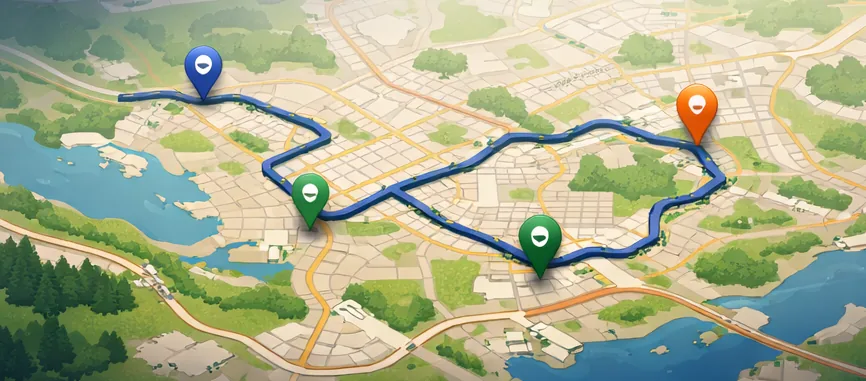
Every round drawn on a map
Each staff member gets their own colour, with a pin at every visit and the route between them — so an awkward ordering is obvious at a glance. Illustration below.
Try it on a real round
Build a schedule without creating an account. Your staff, clients and rounds stay in this browser on every plan — they never reach our servers.
What kind of visits are you planning?
The same scheduling problem turns up under a lot of different job titles, but the constraints that actually bite are different in each. Pick the closest to your service for a guide to setting it up the way your rounds actually run.
Home care & reablement
Morning, lunch, tea and bed calls to the same people, double-ups where two carers are needed, and continuity so clients see familiar faces.
Read the home care & reablement guide →District & community nursing
Insulin and dressing visits that must land inside a clinical window, caseloads that change on the day, and visits only certain staff are signed off to do.
Read the district & community nursing guide →Occupational therapy
Long assessment and equipment visits where four appointments can fill a day once travel is counted, plus joint visits needing two people at once.
Read the occupational therapy guide →Community physiotherapy
Treatment blocks across a course of rehab, repeat visits to the same person over weeks, and home visits balanced against clinic sessions.
Read the community physiotherapy guide →
Housing officers, support workers, mobile engineers and anyone else working from a list of addresses rather than a building use it the same way — start with building your first schedule, or read how several visits a day to the same person are handled.
A multipurpose route scheduler for visits, not deliveries
Most scheduling tools assume everyone turns up to the same building. GeoRoutes is built for the opposite: services where the work happens at other people's addresses, and where the time spent driving between them is a large part of the working day.
That covers more job titles than it first appears. Home care and reablement services use it for morning, lunch, tea and bed call rounds. District and community nursing teams use it for insulin, dressings and other visits that have to happen inside a clinical window. Occupational therapy and physiotherapy services use it for longer assessment and rehab visits, where four appointments can still fill a day once travel is counted. Housing officers, support workers and mobile engineers face the same problem in a different uniform.
Several visits a day to the same person
This is the case most route planners cannot express, and the one GeoRoutes was built around. Ordinary planners assume one stop per address: ask for the same address four times, spaced across the day, and the efficient answer becomes “do all four while you are there” — which is exactly what nobody wants.
Here you say how many visits a person needs and the least time that must pass between them. Someone on morning, lunch, tea and bed calls gets four separate visits at sensible intervals, routed around every other client on the round. Each one can have its own length, its own part of the day, and its own requirement for two carers rather than one.
None of it is compulsory. Visits required defaults to one, and a service doing a single visit per person never touches the setting — the same scheduler simply behaves as a straightforward route planner. Mixed rounds work too: one client on four calls alongside twenty on one is an ordinary day. How repeat visits are set up covers it in full.
Why a spreadsheet stops working
Planning a round by hand is manageable until the constraints start interacting. One client needs two carers at the same time. Another needs four separate calls a day, spaced at least three hours apart. A third can only be seen by someone signed off on their equipment. One visit has to happen at 8am because of a medication interval, and everything else has to fit around it.
Each rule is easy on its own. Together they produce a puzzle where changing one visit shifts everything after it, and where the difference between a good ordering and a poor one is measured in hours of driving across a week. That is the part GeoRoutes takes over.
How it works
You enter your staff — where they start from, the hours they work, any breaks they are owed, and what they are trained to do. You enter the visits, with a postcode, a duration and whatever rules apply: how many staff are needed, how many calls a day, the minimum gap between them, and the part of the day they belong in.
The scheduler then assigns every visit to a suitable person and puts them in an order that keeps travel down, using real road distances from the OpenRouteService routing network rather than straight-line estimates. UK postcodes are geocoded automatically. Breaks are reserved before visits are placed, so a round is built around someone's lunch rather than lunch being squeezed into whatever is left.
Anything that could not be scheduled is reported as a warning naming the specific visit, rather than quietly dropped — so you can see whether a day is genuinely over capacity or just over-constrained. The result is a timed plan per person, drawn on a map, which can be opened as a multi-stop route in Google Maps or Apple Maps or sent to staff as a read-only link.
What it is not
GeoRoutes plans and routes visits. It is not a care records system: it holds no care plans, medication records, risk assessments or clinical notes, and it is not a substitute for the system your service uses to record what happened on a visit. Teams normally keep whatever records system they already have and use this to build the rounds those records describe.
It also will not invent capacity. If a day genuinely has more work than hours, the scheduler will say so rather than produce a plan that only works on paper.
Trying it
You can build a schedule without creating an account. Free mode supports up to 2 staff and 10 appointments and never sends your data to our servers — it stays in this browser, and is still here when you come back. That is enough to test the behaviour against a real day you have already planned by hand, which is the fairest comparison.
A Pro account removes those limits and adds the calendar for recurring visits and future dates. It does not change where your data lives — that stays in your browser either way, so cancelling never deletes it.
The help guides walk through setting up staff and skills, double-up calls and repeat visits, and time windows — plus how home care, district nursing, occupational therapy and physiotherapy services each tend to configure things. How it works covers the process end to end.